How Account Sharing and Recommendation History Separation Work on Family Music Plans
A family music subscription is often misunderstood as one premium account shared by several people. In most cases, however, the service works as a group of individual accounts connected to one payment plan. The plan manager pays the monthly fee and handles membership, while each person signs in with separate credentials and maintains a personal listening environment.
This distinction affects far more than login convenience. It determines whether saved albums remain private, whether playlists stay organized, whether recommendations reflect one person’s taste, and whether several household members can stream music on different devices at the same time.
Problems usually appear when a family treats the subscription as a shared password arrangement. If parents, children, guests, and other relatives all use one login, the service receives activity from multiple listeners but assigns it to a single profile. Children’s songs, workout music, sleep sounds, podcasts, and party playlists may then influence the same recommendation system.
A reliable family setup therefore depends on six practical areas: individual account structure, personal recommendation data, manager permissions, playback restrictions, household eligibility, and shared-device configuration.
Individual Account Structure and Shared Billing
The first point to understand is that a family plan is usually a collection of separate accounts rather than one communal account.
The plan manager creates or upgrades the subscription, pays the recurring charge, and sends invitations to eligible household members. Each invited person normally joins through an existing account or creates a new one. After joining, that member continues to use an individual email address, password, profile, music library, and listening history.
This arrangement allows the household to share the financial benefit without combining personal data. One person can follow jazz musicians, another can save Korean pop playlists, and a child can listen to age-appropriate content without reorganizing everyone else’s library.
Sharing the manager’s login creates a very different result. The platform sees all playback as activity from one listener, regardless of who selected the music. Playlist folders or labels with each person’s name may improve organization, but they do not create independent recommendation profiles.
The safest setup is therefore based on individual invitations. Every regular listener should have a personal account before the household begins using the plan. Password sharing should not be treated as a substitute for proper membership.
This structure also reduces the risk of accidental changes. A person using a separate profile is less likely to delete another member’s playlist, alter saved albums, modify followed artists, or change account settings.

Personal Listening Data and Recommendation Separation
Recommendation systems generally depend on activity associated with the signed-in account. Plays, searches, saved tracks, skips, likes, dislikes, repeated listening, artist follows, and playlist activity can all influence future suggestions.
When family members use separate accounts, these signals usually remain attached to the correct person. Daily mixes, new-release suggestions, personalized radio stations, autoplay selections, and annual listening summaries can therefore reflect individual preferences.
For example, a parent may frequently play classical music while working, a teenager may listen mainly to hip-hop, and a younger child may prefer cartoon soundtracks. With separate accounts, each member should receive suggestions based on those habits rather than a blended household profile.
The opposite happens when several people use one login. The service cannot reliably determine which person selected each track. As a result, the recommendation system may interpret unrelated listening patterns as one person’s changing taste.
A few unusual songs will not always transform the entire profile immediately. Recommendation systems often use a large collection of signals collected over time. However, repeated shared use can gradually reduce accuracy, especially when household members have very different preferences.
Deleting recent activity may improve the visible listening record, but it may not immediately remove every effect from the recommendation model. Prevention is more effective than repeated cleanup. Each listener should use the correct account before beginning a session, particularly on devices that remain logged in for long periods.

Family Manager Permissions and Member Privacy
The family representative usually receives administrative authority that ordinary members do not have. These permissions may include paying the subscription fee, inviting new members, removing existing members, updating the payment method, confirming the household address, and managing certain parental controls.
Administrative control does not automatically mean complete access to every member’s listening activity.
Depending on the platform, the manager may be able to see basic membership information such as names, profile images, email addresses, membership status, or whether an invitation has been accepted. That information is necessary for operating the group.
Detailed listening data is a separate issue. A manager should not assume that subscription control provides unrestricted access to another adult member’s complete history, saved music, private playlists, or recommendation profile. The exact level of visibility depends on the service’s privacy policy, account structure, age settings, and parental-management tools.
Households with children may encounter additional controls. Some platforms offer supervised profiles, young-listener accounts, explicit-content restrictions, or separate applications designed for children. These features may give the manager more authority over content access without providing the same level of access to an adult member’s private activity.
Privacy expectations should be discussed before the group is created. Members should know which information appears within the family group, which settings the manager can change, and whether any child-management features are active.
Simultaneous Playback and Device Limits
A family subscription may allow several members to listen at the same time, but the actual rules often apply at the account level.
When each person streams through an individual account, multiple household members can generally use different devices simultaneously within the plan’s membership allowance. One person might listen on a phone during a commute while another uses a computer at home and a third plays music on a tablet.
Problems can occur when the same account is active in several places. A service may pause one stream when another begins, transfer playback to the newer device, or restrict simultaneous use under a single login. Family membership does not always remove duplicate-playback limits for one account.
Offline listening may have separate restrictions. The platform may limit the number of devices authorized for downloads, the number of tracks stored offline, or the frequency of internet reconnection needed to retain access. These conditions can matter during travel, long commutes, or family trips where several members want downloaded music.
Device removal rules also deserve attention. Replacing a phone, resetting a tablet, or frequently switching between devices may require deauthorizing older equipment. If the platform limits how often this can be done, a household with many devices may experience unexpected inconvenience.
The most useful comparison is based on real household behavior rather than the advertised member count. Families should consider how many people will listen at once, how many personal devices are involved, and whether offline playback is important.
Household Eligibility and Address Authentication
An invitation link does not always mean that any friend or relative can legitimately join the plan.
Many family subscriptions are intended for people who live in the same household. A service may request a shared residential address, periodic address confirmation, location-based authentication, or another form of eligibility review.
The method varies by company and region. Some services ask members to enter the same address when joining. Others may request confirmation again later or investigate unusual account activity. A member who lives elsewhere may be removed or lose access if the arrangement does not satisfy the terms.
This condition is especially important for extended families, couples living apart, university students, or friends attempting to divide the cost. The technical ability to send an invitation should not be interpreted as permission to bypass household requirements.
Age rules may also apply. Younger members might need parental consent, a supervised profile, or an account created through a family-management system. Some features may not be offered in every country.
Before payment, the household should review the current residence requirements, supported region, maximum member count, invitation process, and restrictions on switching between family groups. A low monthly price has little value if members later lose access because they do not meet the eligibility conditions.
Shared Speakers and Personal Recommendation Quality
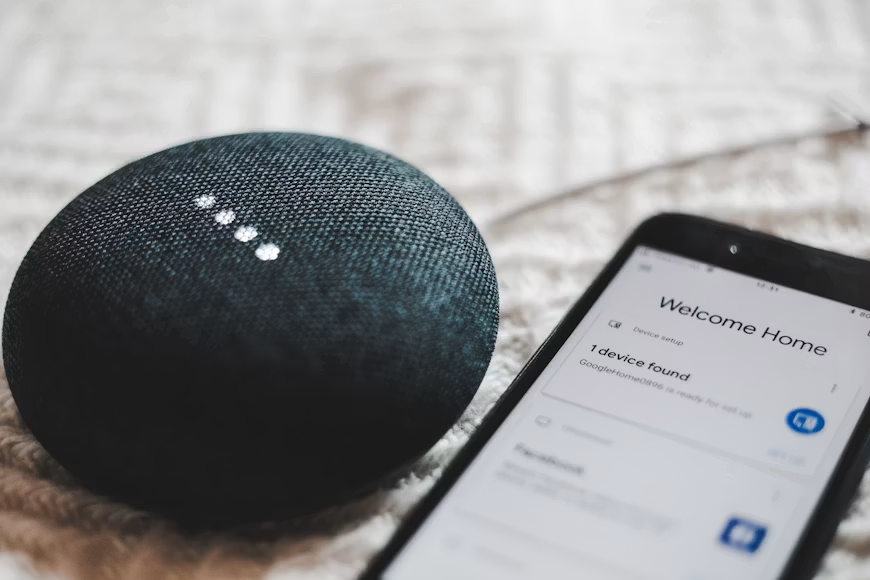
Shared devices are one of the main reasons recommendation histories become mixed. A smart speaker, television, shared tablet, or car audio system often stays signed in to one default account, so every song played is recorded under the same profile.
For example, children’s songs, news podcasts, and party playlists played by different family members may all influence the recommendation system for the account connected to the device.
Some devices support voice recognition or profile switching, which can help separate listening activity. However, these features are not always reliable and may still fall back to the default account. Many services also provide tools such as Private Session, listening-history controls, or playlist exclusion to reduce the effect of temporary listening sessions, although the available options vary by platform.
The most practical approach is to keep personal devices signed in to individual accounts while managing shared equipment carefully. Family members can switch profiles before playback, cast music from their own phones, or reserve one account for communal listening. This helps preserve accurate recommendations while still allowing the household to share a single subscription.